Table of Contents
- What Smart Locks Actually Do for Your Home Security
- Types of Residential Smart Locks: Which One Suits Your Door
- Smart Lock Compatibility with Existing Doors
- DIY vs Professional Smart Lock Installation
- Smart Lock Installation Cost: What Shapes the Price
- Security Standards, Certifications, and Safety Considerations
- Maintenance, Battery Life, and Emergency Override
- Frequently Asked Questions
Last Updated: August 29, 2026
What Smart Locks Actually Do for Your Home Security
A smart lock is an electromechanical locking device that replaces or augments a traditional deadbolt, allowing keyless entry through a digital keypad, biometric scanner, mobile app, or Bluetooth connectivity without sacrificing physical security.
At Morayfield Locksmiths, we’ve handled residential security upgrades across the Moreton Bay region since 1994. Homeowners are no longer just asking “how do I keep my door locked?” They’re asking “how do I control who gets in, and when, and how do I know if someone tried?”
Most modern smart locks offer remote access via mobile app, access logs with timestamps, assignable user codes that can be revoked instantly, auto-lock functionality, and tamper alarms. The security case is straightforward, and for property managers handling multiple tenancies, the ability to issue and cancel digital keys without a locksmith callout for every changeover is a genuine operational improvement.
The smart lock itself is only part of the equation. The door hardware it sits on, the ecosystem it connects to, and the quality of the installation all determine whether you get a genuinely secure system or an expensive inconvenience.
Types of Residential Smart Locks: Which One Suits Your Door
Not all smart locks are the same. The type you need depends on your existing door hardware, door construction, and desired functionality.
Deadbolt Replacements and Cylindrical Lock Upgrades
The most common residential smart lock format replaces a standard cylindrical deadbolt. These units fit into existing bore holes on most timber doors and require no specialist carpentry. Installation hardware is typically included, and the process suits most standard door thicknesses between 35mm and 50mm.
Deadbolt replacement smart locks come in two configurations: single-cylinder models that replace the entire lock body, and deadbolt adapters that attach to the interior side of your existing deadbolt, converting it to app or code control while leaving the exterior hardware unchanged. The adapter approach is faster to install and preserves your existing keyed entry as a backup.
Mortise Lock and Retrofitting Options
Mortise locks are more common in older homes and some commercial-grade residential doors. They sit inside a pocket cut into the door edge rather than through the face, which means retrofitting a smart lock requires either a purpose-built mortise smart lock or a retrofit kit that works with the existing mortise body.
Retrofitting preserves your existing door hardware while adding digital control. This matters most when your current lock is high-grade and the door has been precisely fitted. Mortise smart lock options are narrower than deadbolt options, so professional assessment is worth doing before you purchase any hardware.
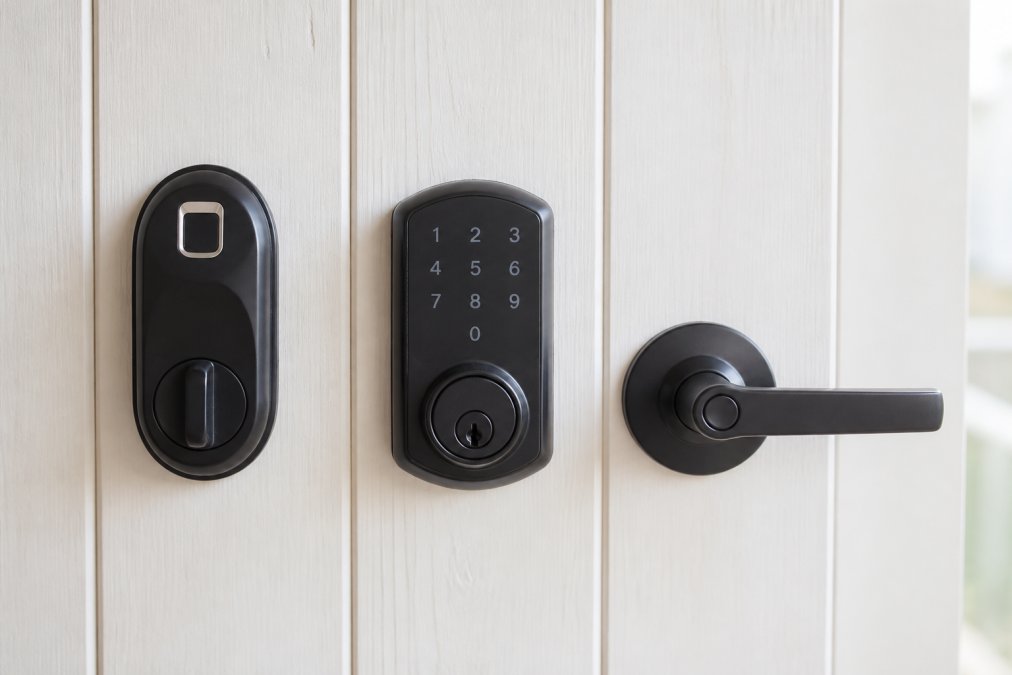
| Smart Lock Type | Best For | Installation Complexity | Key Feature |
|---|---|---|---|
| Deadbolt replacement | Standard residential doors | Low-moderate | Full keyless entry |
| Deadbolt adapter/retrofit | Existing quality deadbolts | Low | Preserves current key |
| Mortise smart lock | Older or European-style doors | High | Integrated latch and deadbolt |
| Biometric scanner lock | High-security applications | Moderate | Fingerprint entry, no codes |
Smart Lock Compatibility with Existing Doors
Compatibility is where many DIY smart lock installations go wrong. The lock that looks right online can fail to fit, function, or secure properly once installed.
Door Thickness, Strike Plate, and Latch Alignment
Standard residential doors in Australia typically run between 35mm and 45mm thick, but older homes and commercial-grade residential doors can vary significantly. Most smart locks specify a door thickness range in their documentation, check this before purchasing.
Three physical factors determine whether a smart lock will install cleanly: door thickness outside the specified range, strike plate misalignment, and existing bore hole diameter. Most deadbolt replacements require a 54mm cross-bore and a 25mm edge bore, which matches most Australian residential doors, but older doors may differ.
Latch alignment problems are the most common cause of post-installation issues. A door that has settled, warped, or been re-hung will often need the strike plate repositioned before a new lock will function correctly.
Smart Home Ecosystem Integration
A smart lock that doesn’t communicate with your existing home automation platform creates a separate app, separate login, and separate management headache.
The main ecosystems relevant to Australian homeowners are Google Home, Amazon Alexa, and Apple HomeKit. Before purchasing, confirm which voice assistant the lock supports natively, whether it requires a Wi-Fi bridge or uses Bluetooth directly, whether the mobile app works equally on Android and iOS, and whether firmware updates are automatic or manual.
According to the Australian Communications and Media Authority’s guidance on smart home devices, devices that connect to home networks should meet current encryption and authentication standards. If you’re building toward a broader smart home automation setup, buy the lock that fits your ecosystem first.
DIY vs Professional Smart Lock Installation
A straightforward deadbolt replacement on a well-maintained standard door is within reach for a confident DIY homeowner. The tools required are basic, and the process typically takes 30 to 60 minutes.
The calculation changes quickly when the door has a mortise lock, has settled or warped, needs strike plate repositioning, has non-standard bore holes, or integrates with an alarm system.
What the Professional Installation Process Involves
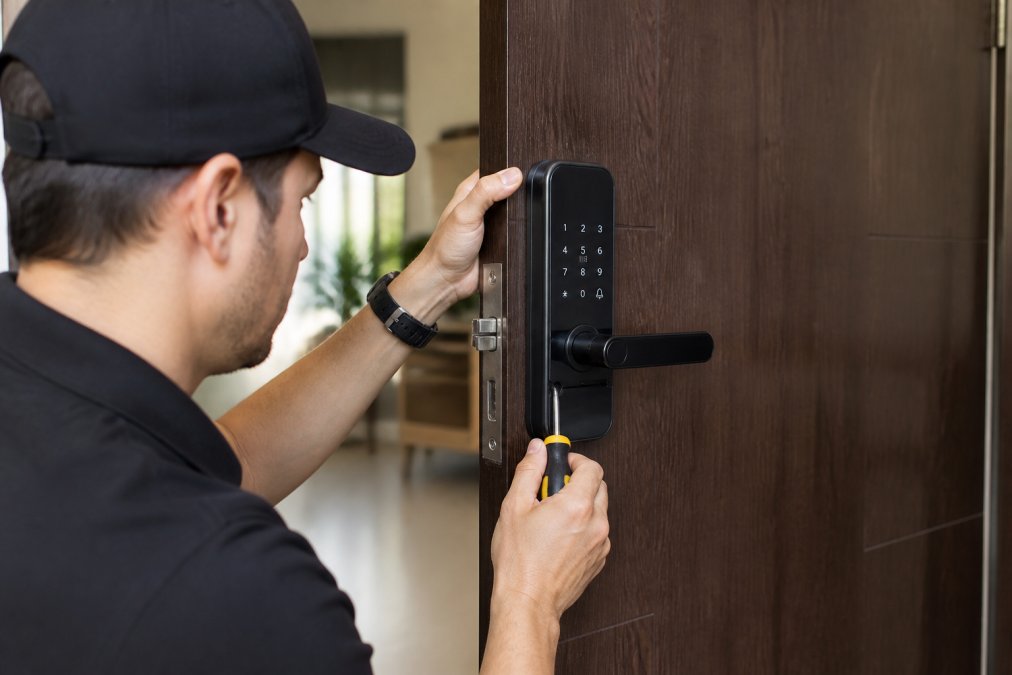
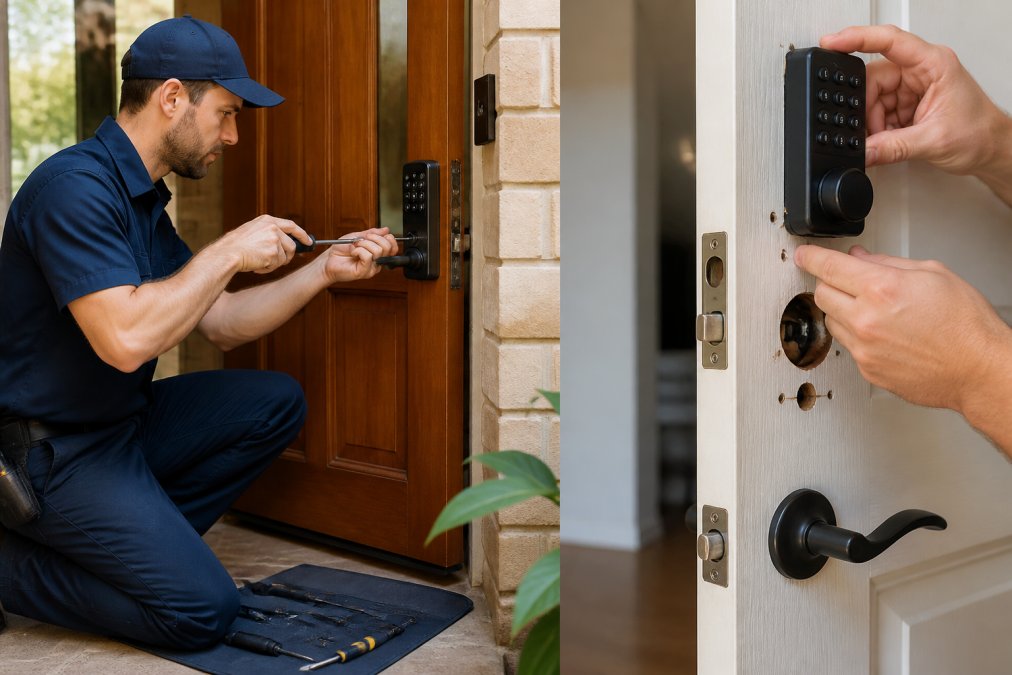
Professional smart lock installation covers more than fitting the hardware. A qualified locksmith will assess the door condition before selecting or fitting the lock, check latch alignment and strike plate position, test the lock’s mechanical operation before configuring digital components, and walk you through user code setup and mobile app integration.
For properties with existing alarm systems, professional installation ensures the smart lock’s tamper alarm and auto-lock functions are correctly integrated rather than operating as a separate, unconnected layer. Morayfield Locksmiths brings over 30 years of residential security experience to every installation, with familiarity with the full range of residential door hardware from standard timber doors to older mortise-fitted frames.
Troubleshooting Common Installation Errors
The most frequent installation errors fall into three categories: spindle length mismatch causing the lock to bind, misaligned latch preventing the door from closing securely, and Wi-Fi or Bluetooth pairing failure. The third category generates the most frustrated post-installation calls. The fix is usually straightforward: check the router band setting (many smart locks require 2.4GHz rather than 5GHz), move the phone closer during initial pairing, and confirm the lock’s firmware is current.
Smart Lock Installation Cost: What Shapes the Price
Smart lock installation cost varies based on lock hardware, door condition, lock type, and integration requirements. Entry-level digital keypad deadbolts sit at a different price point than biometric scanner models with full smart home automation integration. A door that needs strike plate adjustment, bore hole modification, or frame repair before installation adds labour time.
According to the Master Locksmiths Association of Australasia’s consumer guidance, obtaining a written quote before work begins is standard practice. For current pricing on smart lock supply and installation, contact Morayfield Locksmiths directly for a quote specific to your door type and requirements.
Ask your locksmith to include the door assessment in the quote, not just the installation. A lock fitted to a misaligned door will cause problems within months.
Security Standards, Certifications, and Safety Considerations
A smart lock is only as secure as its weakest point, and for digital hardware, that point is often software rather than steel.
The physical security rating of a lock matters first. Australian standard AS 4145 covers mechanical security for locks and latches used in residential applications. A smart lock should meet at least the same mechanical standard as the lock it replaces.
Encryption, Two-Factor Authentication, and Firmware Updates
Encryption protects communication between the lock and mobile app. Look for locks using AES-128 or AES-256 encryption for Bluetooth and Wi-Fi communications.
Two-factor authentication on the mobile app adds protection against unauthorised remote access. If someone obtains your app login credentials, 2FA prevents them from using those credentials alone to unlock your door.
Firmware updates are the ongoing maintenance task most homeowners forget about. Manufacturers issue updates to patch vulnerabilities, and a lock running outdated firmware is exposed to known exploits. According to the Australian Cyber Security Centre’s guidance on IoT device security, keeping connected devices updated is one of the most effective steps households can take to reduce digital security risk.
Every smart lock should have a physical key override or mechanical backup that operates independently of the battery and digital systems.
Never install a smart lock that lacks a physical emergency override. Battery-operated locks will eventually fail, and a digital-only lock with no mechanical backup can leave you locked out of your own home.
Maintenance, Battery Life, and Emergency Override
Most residential smart locks run on AA or AAA batteries and deliver between six and twelve months of use under normal conditions. Replace batteries on a scheduled basis rather than waiting for the low-battery alert.
Maintenance checklist for smart lock longevity:
- Replace batteries every six months regardless of indicator status
- Check latch alignment every twelve months
- Review and update user codes when household access requirements change
- Apply firmware updates as released by the manufacturer
- Test the physical key override quarterly
- Clean the digital keypad or biometric scanner surface with a dry cloth
Keep a physical key for the emergency override in a secure off-site location, not hidden near the door. For biometric scanner models, configure a PIN code backup alongside biometric entry, not instead of it.
Smart lock maintenance is simple but non-negotiable. A lock that runs flat batteries, misses firmware updates, or has an untested emergency override isn’t a security upgrade, it’s a liability.
Residential smart lock installation delivers real security improvements when the hardware, the door, and the installation quality are all aligned. Morayfield Locksmiths brings over 30 years of residential security experience to every installation, with upfront pricing, rapid response, and the technical knowledge to handle everything from standard deadbolt upgrades to mortise retrofits and smart home ecosystem integration. Call Now and get your smart lock installed correctly the first time.
Frequently Asked Questions
How much does it cost to get a smart lock installed?
Smart lock installation cost varies depending on the lock type, your existing door hardware, and whether any modifications to the door or strike plate are needed. Mortise lock replacements generally cost more than straightforward deadbolt swaps. The best way to get an accurate figure is to request an upfront quote before any work begins, a reputable locksmith will provide a fixed price, not an estimate that changes at the door.
Can I install a smart lock myself or should I hire a professional?
Many smart lock manufacturers market their products as DIY-friendly, and some cylindrical deadbolt replacements genuinely are straightforward. However, misaligned latch plates, non-standard door thickness, or existing mortise lock cutouts often require professional adjustment. A poor fit creates gaps in your home’s security and can void the lock’s warranty. For most residential doors, professional smart lock installation takes under an hour and ensures the deadbolt, strike plate, and latch all align correctly from day one.
Do smart locks void home insurance policies?
Most Australian home insurers accept smart locks provided the lock meets Australian Standards for residential security hardware, particularly AS 4145 for locksets. Locks installed by a licensed locksmith with documented compliance are generally straightforward to report to your insurer. It is worth contacting your insurer before purchasing to confirm which certifications they require, as policy terms vary between providers. Choosing a lock with a tamper alarm and auto-lock feature can also strengthen your security profile.
What features should I look for in a residential smart lock?
Prioritise keyless entry methods that suit your household, digital keypad, biometric scanner, or mobile app integration via Bluetooth connectivity or Wi-Fi bridge. Check that the lock supports multiple user codes and access logs so you can see who enters and when. Auto-lock, a tamper alarm, and an emergency override key cylinder are essential safety features. For connected homes, confirm compatibility with your existing smart home automation platform before purchasing.