Table of Contents
- Understanding Smart Lock Failure: The Reality
- Battery Failure: The Most Common Cause
- How to Troubleshoot Smart Lock Connectivity Issues
- Physical and Mechanical Failures
- Security Vulnerabilities and Cybersecurity Breaches
- Emergency Access: Physical Keyway and Mechanical Override
- Smart Lock Battery Replacement Guide
- When to Call Emergency Locksmith Services
- Frequently Asked Questions
Last Updated: September 2, 2026
Understanding Smart Lock Failure: The Reality
Smart locks fail far more often than most homeowners realise. Smart lock failures can cause emergency lockouts, and the patterns are clear: what happens depends entirely on which component gives way first.
The Australian smart lock market reached USD 87.0 million in 2025 and is projected to grow at 14.63% annually through 2034 IMARC Group Australia Smart Lock Market Report. Yet this expansion has exposed a critical gap between consumer expectations and reality. Many Australians assume their electronic deadbolts include adequate built-in security and failsafe mechanisms when they don’t.
Smart lock failures fall into three distinct categories: battery depletion, connectivity dropout, and mechanical breakdown. Each presents different challenges and requires different solutions.
Smart lock failures are predictable and manageable if you understand the three failure categories: battery depletion, connectivity issues, and mechanical breakdown. The key is preparation, not panic.
Battery Failure: The Most Common Cause
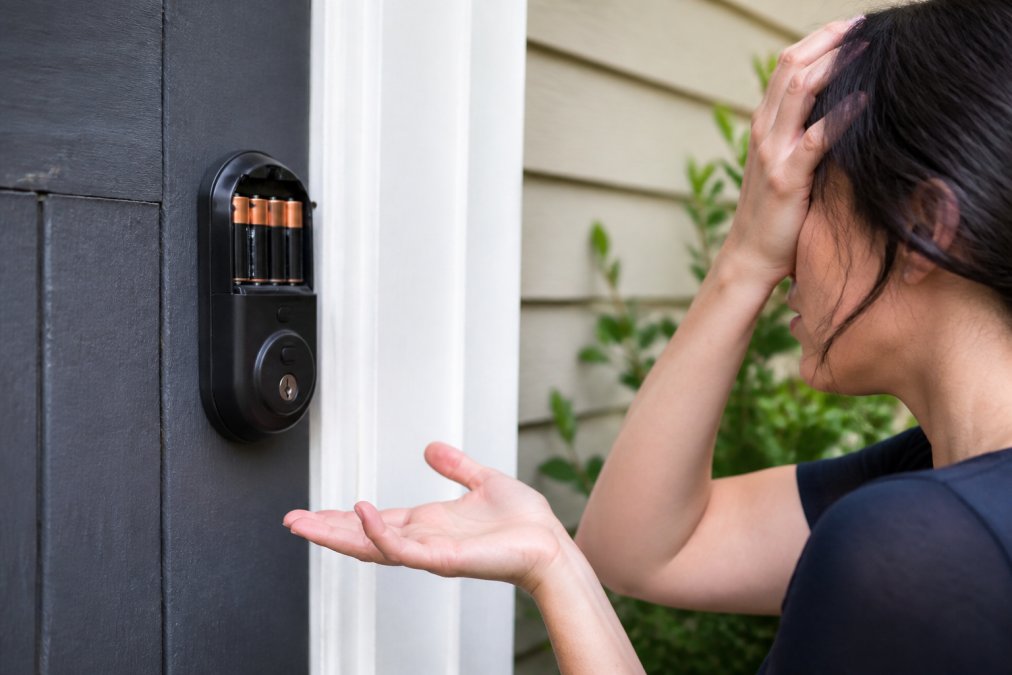
Battery failure accounts for the overwhelming majority of smart lock problems. When a smart lock’s battery dies, the electronic deadbolt becomes inoperable. Most smart locks operate on 4-8 AA or AAA batteries and should last 6-12 months under normal use. Australian climates introduce complications: high humidity in coastal regions accelerates battery corrosion, whilst cold winters in southern areas reduce battery voltage output.
Recognising battery drain warning signs
Your smart lock will typically issue warnings before the battery dies completely. Most modern models display a low-battery indicator on their touchscreen or send a smartphone app notification. Many homeowners ignore these warnings and assume they have “plenty of time” to replace batteries.
Watch for these signals: sluggish or unresponsive touchscreen, intermittent Bluetooth connection drops, remote unlock requests failing or taking 10+ seconds, quieter or irregular keypad beeps, or the lock requiring multiple attempts to unlock. Replace batteries immediately when you notice these signs. A proactive battery swap takes 5 minutes; an emergency locksmith callout costs significantly more.
Set a phone reminder to check your smart lock battery every three months. Most failures happen because homeowners forget, not because batteries were defective. A calendar notification prevents 80% of battery-related lockouts.
Emergency 9V battery jumpstart method
If your smart lock is completely dead, some models support emergency power via an external 9V battery. Most electronic deadbolts have a small metal terminal or charging port on the exterior.
To perform a 9V jumpstart:
- Obtain a standard 9V battery
- Locate the battery terminal on your lock’s exterior, usually marked with red and black contact points
- Connect the positive terminal (red) to the red contact and negative (black) to the black contact
- Hold for 5-10 seconds
- Attempt to unlock using the keypad or app
- Once access is restored, immediately install fresh AA/AAA batteries
This method works on Yale, Schlage, and Samsung models, though compatibility varies. Check your manufacturer’s documentation first.
How to Troubleshoot Smart Lock Connectivity Issues
Connectivity failures represent the second major failure category. Your lock’s battery may be fine, but if it cannot communicate with your smartphone or home network, remote access becomes impossible.
Wi-Fi and Bluetooth dropout scenarios
Smart locks use either Bluetooth (for direct smartphone control within 10-15 metres) or Wi-Fi (for remote access from anywhere). When your lock loses connection, it typically falls back to manual keypad entry, but you’ve lost remote access.
Common Wi-Fi issues include: router too far from the lock, interference from microwave ovens or neighbouring Wi-Fi networks, lock installed on an external door with metal frame blocking signal, or router overloaded with too many connected devices. The fix is straightforward: move your router closer to the lock or install a Wi-Fi extender within 5 metres. For Bluetooth issues, restart your phone and the lock’s Bluetooth module via the lock’s app. If that fails, the Bluetooth hardware is likely damaged and requires professional replacement.
Firmware updates and software glitches
Smart locks receive periodic firmware updates to fix bugs, improve security, and add features. A firmware update that fails mid-installation can leave your lock unresponsive or disconnected from your network. In 2026, Samsung smart lock users experienced widespread Wi-Fi connectivity failures after a firmware update, leaving users without remote access for weeks.
To avoid firmware-related failures: only update firmware when your lock’s battery is above 50%, ensure a stable Wi-Fi connection before starting the update, do not power cycle the lock during an update, and check the manufacturer’s support forum if problems occur. If your lock becomes unresponsive after a firmware update, try a factory reset (usually a hard button press for 10+ seconds) to restore basic functionality.
Physical and Mechanical Failures
Electronic components are only part of the story. Your smart lock is mounted on a physical door, and the door itself can fail in ways that disable the lock entirely.
Door sag, strike alignment, and latch retraction issues
A common problem in Australian homes is door sag. Over time, wooden doors settle and shift, particularly in older properties. When a door sags, the latch no longer aligns properly with the strike plate, the metal receptacle on the door frame that accepts the latch bolt.
When the latch and strike are misaligned, the smart lock’s motor struggles to retract the latch fully. The lock may attempt to unlock, but the latch won’t move. Your smart lock’s electronics are working perfectly; the problem is purely physical.
Signs of strike misalignment include: latch retracts partially but not fully, lock motor spins but door won’t open, you must push hard on the door whilst unlocking, or lock works intermittently depending on temperature.
Forcing a jammed smart lock repeatedly can burn out the motor permanently. If the lock physically resists retraction, stop trying and call a professional.
Cold weather performance and environmental stress
Australian winters vary dramatically by region. Southern regions see genuine cold that affects electronic locks. Temperature extremes cause metal components to contract and expand, batteries to lose voltage, and lubricants to thicken.
Smart locks rated for Australian conditions should operate between -10°C and 50°C (grandviewresearch.com). Cold weather creates several specific failure modes: battery voltage drops 15-20%, lubricants thicken increasing friction, metal components contract potentially causing mechanical binding, and Bluetooth range decreases. Most effects are temporary, but if your lock is marginal on battery voltage, cold weather may push it past the threshold where it can function. Ensure your smart lock’s battery is always above 60% capacity during winter months.
Security Vulnerabilities and Cybersecurity Breaches
A lock can fail not because of battery, connectivity, or mechanical issues, but because its security has been compromised. A hacker may have gained access to your smart home network, your lock’s app, or the manufacturer’s cloud servers.
Biometric sensor failures and electronic deadbolt vulnerabilities
Some smart locks include biometric readers or facial recognition. These add convenience but introduce additional failure points. Electronic deadbolts are vulnerable to wireless attacks. Wi-Fi locks can be targeted if your home network is compromised. Bluetooth locks can be attacked if a hacker is within 10-15 metres.
Research from 2026 identified critical vulnerabilities in popular smart doorbell firmware that allowed remote unlocking of doors. Whilst a patch was released, 67% of affected devices remained unpatched six months later because users were unaware of available updates (trendmicro.com).
Tim Falinski, Senior Director at Trend Micro, warns: “What’s concerning is that many Australians assume these devices include adequate in-built security when they don’t. What we’re seeing is that Australians are putting too much trust in smart devices and not necessarily applying some of their own ‘smarts’ to the process.”
Recovery steps after a suspected breach
If you suspect your smart lock has been compromised, for example, you notice unauthorised unlock attempts in your lock’s activity log, take immediate action.
Step 1: Change all passwords. Change the password for your smart lock’s app, your home Wi-Fi network, and your cloud account. Use strong, unique passwords.
Step 2: Review activity logs. Check your lock’s app for a complete history of unlock attempts. Look for unlocks you did not perform, particularly at odd hours.
Step 3: Update firmware immediately. Check the manufacturer’s website for the latest firmware version and install any available updates.
Step 4: Check your home network. Use your router’s admin panel to review connected devices. Remove any suspicious devices from your network.
Step 5: Consider a full reset. If you remain concerned, perform a factory reset of the lock. This erases all settings and removes any potential malware.
Step 6: Contact the manufacturer. Report the suspected breach to the lock manufacturer. They may have seen similar incidents and can advise on next steps.
If you cannot restore confidence in your lock’s security, replace it entirely.
Emergency Access: Physical Keyway and Mechanical Override
Every smart lock, regardless of how advanced, includes a physical keyway and mechanical override mechanism. This is your fallback when everything electronic fails.
Most smart locks have a small keyhole on the exterior, typically hidden under a cover or cap. This keyhole accepts a traditional mechanical key. If your lock is completely dead, you can still unlock it with the physical key.
The challenge: many homeowners lose or misplace their physical keys once they switch to smart locks. Keep your physical key in a secure location, not on your keyring, but in a safe place at home or with a trusted neighbour. Before relying on these mechanical features, test them. Locate your physical key and verify it works in the keyhole. Find the mechanical override button and confirm you know how to use it.
Smart Lock Battery Replacement Guide
Battery replacement is straightforward but often done incorrectly. Most failures occur because homeowners install batteries backwards, fail to close the battery compartment fully, or use low-quality batteries.
Step-by-step replacement process
Step 1: Gather materials. You’ll need fresh AA or AAA batteries (check your lock’s manual for the correct type and quantity), a small Phillips head screwdriver, and a clean cloth.
Step 2: Locate the battery compartment. On most smart locks, the battery compartment is on the interior side of the lock. Some models have it on the exterior. Your lock’s manual will specify the location.
Step 3: Open the compartment. Use the screwdriver to remove the screws holding the battery cover. Keep these screws in a safe place.
Step 4: Remove old batteries. Take out the old batteries and dispose of them responsibly at e-waste facilities.
Step 5: Insert new batteries. Install the new batteries, paying careful attention to polarity. The positive (+) end should face the direction indicated in the compartment (usually upward). If you install batteries backwards, the lock will not function.
Step 6: Close the compartment. Replace the battery cover and tighten the screws. Do not over-tighten.
Step 7: Test the lock. Use your app or keypad to test the lock. If it responds normally, the battery replacement was successful.
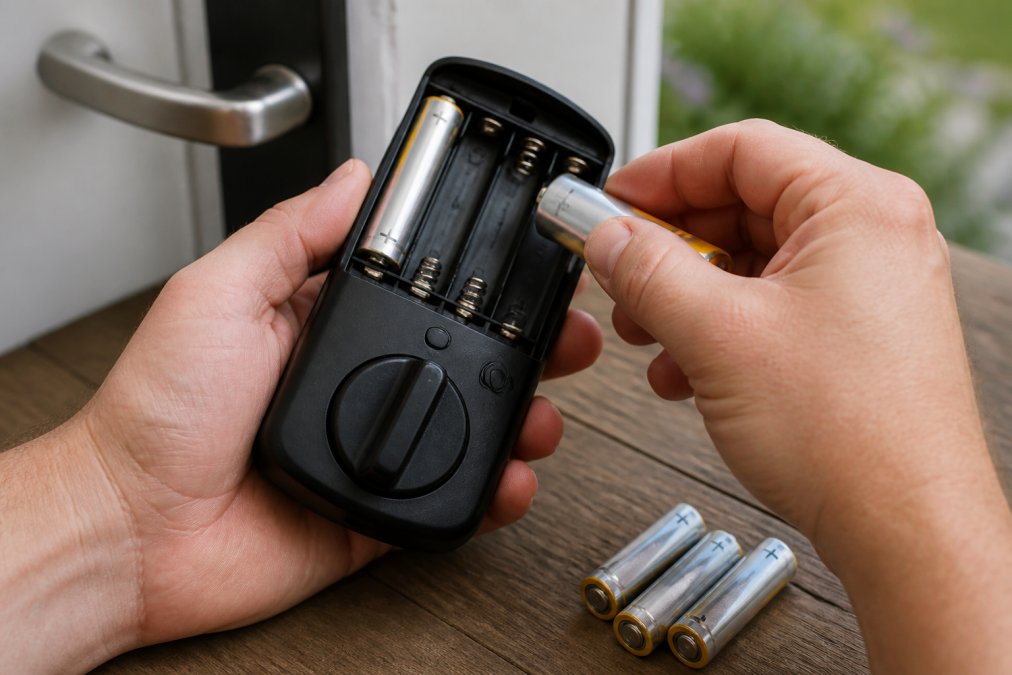
Use high-quality batteries from reputable brands. Cheap, off-brand batteries often have lower capacity and fail prematurely.
Preventative maintenance checklist
Preventative maintenance extends your smart lock’s lifespan and reduces unexpected failures.
- Check battery level monthly via your lock’s app
- Replace batteries every 6-9 months
- Clean the lock’s exterior and keypad with a soft, dry cloth monthly
- Verify Wi-Fi or Bluetooth connectivity weekly
- Review firmware updates monthly and install immediately if available
- Test the physical keyway and mechanical override quarterly
- Check door frame alignment seasonally
- Inspect the strike plate for damage or misalignment quarterly
- Review your lock’s activity log monthly for unauthorised access attempts
- Update your app password every 6 months
| Maintenance Task | Frequency | Time Required | Impact |
|---|---|---|---|
| Battery check | Monthly | 2 minutes | Prevents lockouts |
| Battery replacement | Every 6-9 months | 10 minutes | Maintains reliability |
| Firmware updates | When available | 5-10 minutes | Patches security vulnerabilities |
| Physical key test | Quarterly | 3 minutes | Ensures backup access |
| Activity log review | Monthly | 5 minutes | Detects unauthorised access |
| Door alignment check | Seasonally | 5 minutes | Prevents mechanical binding |
When to Call Emergency Locksmith Services
Some failures require professional intervention. Call a locksmith immediately if: your lock is completely unresponsive and you cannot access your home, the physical key does not work and the mechanical override button is jammed, the door frame is misaligned and the latch will not retract, the lock motor has burned out, you suspect a security breach and need professional verification, or the lock is physically damaged (cracked screen, broken keypad, water damage).
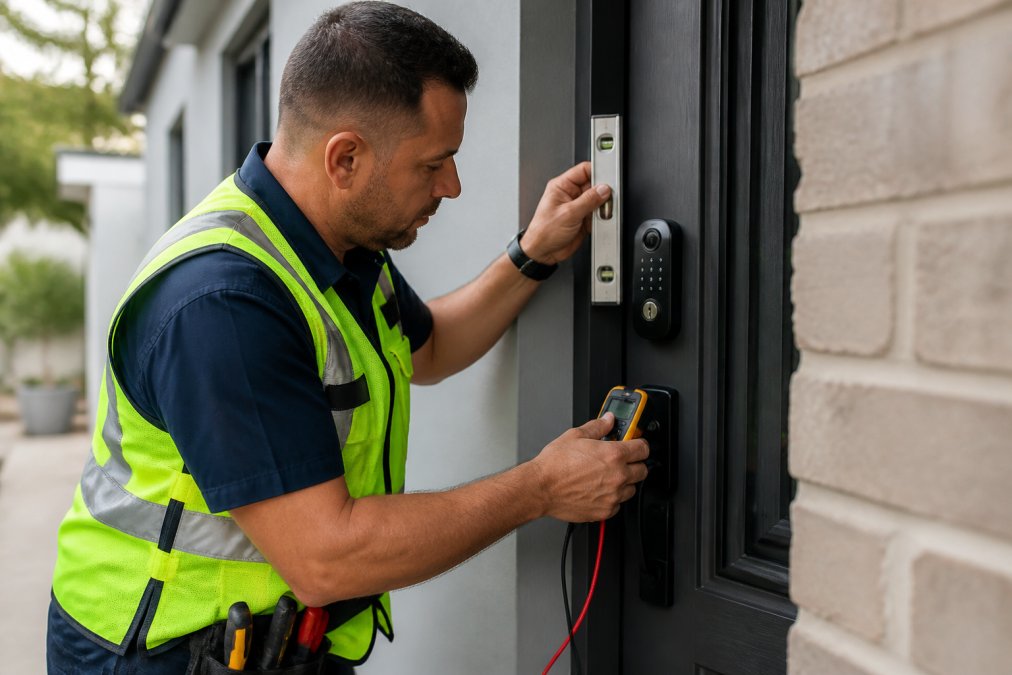
Morayfield Locksmiths provides 24-hour emergency locksmith services for exactly these scenarios. We respond rapidly to lockouts, diagnose smart lock failures, and implement solutions whether that’s battery replacement, strike plate adjustment, or complete lock replacement.
Lockout scenarios requiring professional intervention
A lockout occurs when you cannot access your home because the lock is non-functional and you have no alternative entry method. Common lockout scenarios include battery completely dead with lost physical key, firmware update failure leaving the lock unresponsive, or door frame shifted so dramatically that the latch cannot retract. A professional locksmith is your fastest solution in these situations.
Insurance and liability implications
If a smart lock fails and your home is burgled, does your home insurance cover the loss? Most home insurance policies require you to maintain “reasonable security measures.” A smart lock that has completely failed and left your door unsecured may not meet that standard. Keep records of battery replacements, firmware updates, and professional servicing. If a smart lock failure allows unauthorised access to a rental property you manage, you could face liability claims from tenants or their insurers.
Smart lock failures are manageable if you understand the failure modes and prepare accordingly. Battery depletion remains the most common issue, but connectivity failures, mechanical problems, and security breaches all occur regularly. The solution is not to avoid smart locks, they offer genuine convenience and security benefits, but to treat them as systems that require maintenance, monitoring, and backup access methods.
At Morayfield Locksmiths, we’ve seen every failure scenario in this guide play out in real homes across the Moreton Bay region. We’re equipped to diagnose failures quickly, restore access, and implement long-term solutions. When your smart lock fails, call us for rapid, reliable emergency locksmith assistance.
=== FAQ ANSWERS (audit these too, same rules) ===
Frequently Asked Questions
Q: What happens if my smart lock fails completely, am I locked out?
Most quality smart locks include a physical keyway or mechanical override, allowing you to unlock the door manually using a traditional key. However, if your lock has failed due to a battery issue, you may need to jumpstart it with a 9V battery first. For electronic deadbolts without a physical override, you’ll need to call an emergency locksmith. Research shows 43% of negative smart lock reviews mention connectivity failures, making professional assistance essential when you cannot regain access yourself.
Q: How long do smart lock batteries typically last?
Most smart lock batteries last 6-12 months under normal use, though this varies by lock model and usage frequency. Battery drain accelerates if your Wi-Fi signal is weak, one case study showed battery life improved from 3 weeks to over 5 months after installing a Wi-Fi signal booster near the lock. Cold weather and frequent unlocking cycles also reduce battery life. Regular monitoring and replacing batteries before they die completely prevents lockout situations.
Q: Can smart locks be hacked or compromised?
Yes, smart locks present security vulnerabilities that traditional mechanical locks do not have. Wi-Fi-enabled locks can be vulnerable to weak authentication tokens and unencrypted data transmission. Bluetooth locks may be susceptible to replay attacks if they lack proper encryption. A 2019 survey found that 73% of Australians believe their connected devices are secure, yet 21% take no security measures at all. Experts recommend keeping firmware updated, using strong passwords, and enabling two-factor authentication where available to reduce breach risk.
Q: What should I do if my smart lock won’t connect to Wi-Fi?
First, restart your lock and Wi-Fi router, then check that your router is within range and broadcasting a stable signal. Verify that your lock’s firmware is up to date, as software glitches often cause connectivity issues. If the problem persists, move your router closer to the lock or install a Wi-Fi extender to strengthen the signal. Document the issue and contact the manufacturer’s support team. If you cannot regain remote access and need immediate entry, use the physical keyway or call an emergency locksmith for assistance.