Table of Contents
- Security Camera Comparison Table: Quick Reference
- Wired vs Wireless Security Cameras: Which Suits Your Property?
- Security Camera Resolution Explained: 1080p, 4K, and Beyond
- CCTV Installation Requirements for Homes and Businesses
- Storage Options: Cloud vs Local (NVR, DVR, SD Card)
- Cybersecurity and Privacy Hardening for Security Cameras
- Maintenance and Longevity: Keeping Your System Useful
- Conclusion
- Frequently Asked Questions
Last Updated: September 24, 2026
Security Camera Comparison Table: Quick Reference
When you choose security cameras, the decision comes down to matching four variables to your property: power source, resolution, storage, and placement. Get those wrong and you’ll either overspend or end up with footage too grainy to identify anyone.
| Priority | Best Option | Suits | Trade-Off |
|---|---|---|---|
| Simple retrofit | Battery Wi-Fi camera | Rentals, quick installs | Recharge cycles, weaker signal |
| Always-on reliability | PoE wired camera | Homes, commercial sites | Requires cabling |
| Maximum detail | 4K resolution | Driveways, entries | Higher storage and bandwidth |
| Remote sites | Solar-powered camera | Sheds, gates, acreage | Weather and panel dependent |
| Evidence retention | Local NVR storage | Long-term recording | Physical access risk |
| Off-site backup | Cloud storage | Theft deterrence | Ongoing subscription |
Wired vs Wireless Security Cameras: Which Suits Your Property?
Wired cameras deliver constant power and a stable connection, while wireless models trade that reliability for faster installation. The right choice depends on whether you can run cable to the mounting point.
Power Sources: Battery, Solar, and PoE Compared
Battery cameras install in minutes but need recharging. Solar panels extend battery life in good sunlight but underperform in shaded positions. PoE remains the most dependable option where cable can be run.
Security Camera Resolution Explained: 1080p, 4K, and Beyond
Resolution determines how much detail survives when you zoom in. Most modern smart cameras now treat 1080p as the baseline standard, according to Security.org camera resolution guide, with 4K increasingly common at the top end.
Here’s the practical difference:
- 1080p identifies a person at roughly 6 to 8 metres
- 4K holds facial detail at 15 metres or more
- Higher resolution means larger files and more bandwidth
Field of View, Frame Rate, and Low-Light Performance
Field of view is measured in degrees, and wider isn’t automatically better. A 180-degree lens covers more ground but distorts edges and reduces effective identification distance. Most driveways are better served by a 90 to 110-degree lens.
CCTV Installation Requirements for Homes and Businesses
Installation requirements vary by property type, but every system needs a power source, a stable network connection, and camera positions that capture identifiable images rather than wide, useless footage.
Mounting Height, Angle, and Positioning
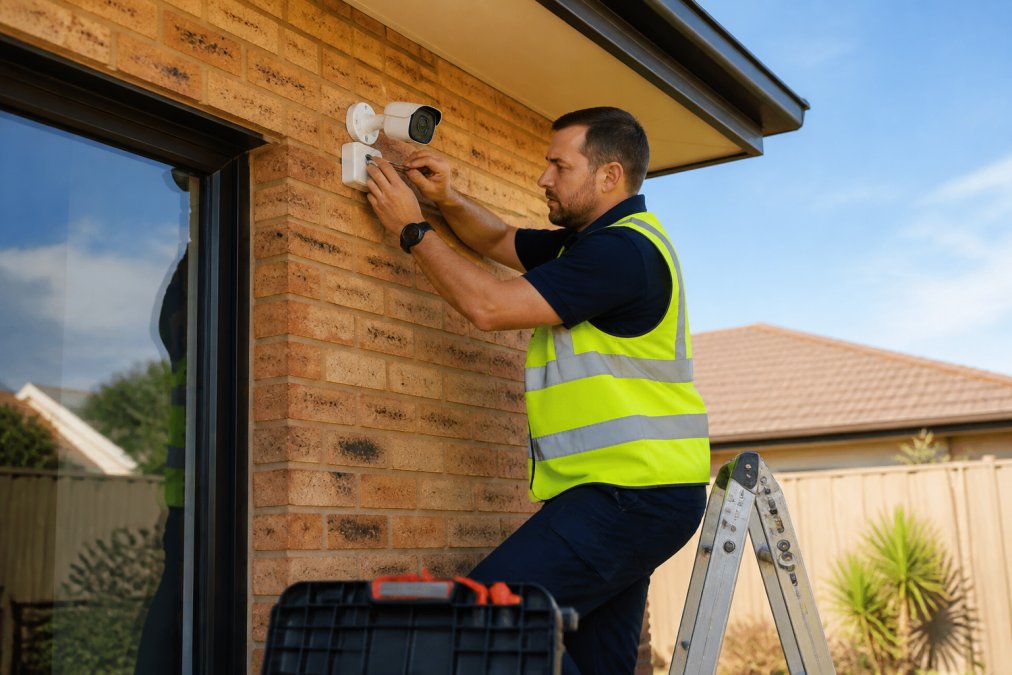
Position cameras at 2.5 to 3 metres, angled slightly downward. This height deters tampering and captures faces rather than the tops of heads. Avoid pointing cameras directly at the sun or into streetlights, which wash out the image.
Cabling, Power, and Weatherproofing
Weatherproofing matters. Look for an IP66 or IP67 rating for outdoor units, which means they’re dust-tight and protected against heavy rain. An IP65 rating handles splashes but not sustained downpours.
Network and Bandwidth Planning
This is the step most guides skip, and it’s the one that causes the most post-install frustration. A single 4K camera streaming continuously can consume 8 to 12 Mbps. Four of them saturate a typical 50 Mbps upload link and can visibly slow your home Wi-Fi, especially on the 2.4 GHz band.
Practical steps:
- Put cameras on a dedicated SSID or VLAN so they don’t compete with laptops and streaming devices
- Prefer wired backhaul for any camera within reach of a cable
- Check your router’s client limit, many consumer units struggle past 20 to 30 connected devices
- If you rely on cloud storage, confirm your upload speed can sustain the number of cameras you plan to run
Before buying, count your existing connected devices and add the cameras to that number. If the total exceeds your router’s comfortable client limit, budget for a mesh system or a small business-grade access point.
Legal and Privacy Compliance When Installing CCTV
Australian privacy law restricts how you can point cameras at neighbouring properties and common areas. Cameras should capture your own property, not a neighbour’s bedroom window or a shared hallway.
Recording audio changes your obligations. In many jurisdictions, capturing private conversations carries stricter consent requirements than video alone. If you don’t need audio, disable the microphone.
Storage Options: Cloud vs Local (NVR, DVR, SD Card)
Storage determines how far back you can search and what survives a theft. Local storage keeps footage on-site and subscription-free, while cloud storage protects recordings even if the hardware is stolen.
| Storage Type | Retention | Best For | Weakness |
|---|---|---|---|
| SD card | Days to weeks | Single cameras | Easily removed with camera |
| NVR or DVR | Weeks to months | Multi-camera systems | Vulnerable to on-site theft |
| Cloud | Weeks to years | Theft deterrence | Monthly cost, data usage |
How to Size Storage for Your Retention Goal
The single most useful calculation is: bitrate × number of cameras × hours recorded × days retained. A 4K camera at 8 Mbps recording continuously uses roughly 86 GB per day. Four cameras at that rate need about 10 TB for a month of continuous footage, which is why most installers recommend motion-triggered recording for anything beyond a week of retention.
A practical rule of thumb:
- 1080p, motion-only, 2 cameras: 1 TB covers several weeks
- 4K, motion-only, 4 cameras: 2 to 4 TB covers a fortnight to a month
- 4K, continuous, 4 cameras: 8 TB or more for a month
Drive Health and Firmware Cycles
Hard drives in NVRs run 24/7 and fail quietly. Surveillance-grade drives are rated for continuous operation and typically carry a workload rating of around 180 TB per year; desktop drives are not, and using one usually shortens its life. Check drive health every few months through the NVR interface, and replace any drive showing reallocated sectors before it fails outright.
Storage isn’t a set-and-forget decision. Plan for the retention you actually need, use surveillance-rated drives, and check both drive health and firmware on a regular cycle. A system that’s been silently failing for three months is worse than no system at all.
Cybersecurity and Privacy Hardening for Security Cameras
A camera connected to your network is a potential entry point. Consumer Reports has noted that testing must prioritise data privacy and cybersecurity alongside hardware performance, and that advice applies directly to what you install at home.
Practical hardening steps:
- Change every default password before the camera goes online
- Enable two-factor authentication on the camera app
- Keep firmware updated, and check for updates monthly
- Put cameras on a separate Wi-Fi network or VLAN
- Disable remote access if you don’t use it
- Turn on privacy masking for windows overlooking shared space
Maintenance and Longevity: Keeping Your System Useful
Security systems degrade quietly. Lenses fog, drives fail, and batteries weaken, usually without any obvious warning until you need the footage.
A quarterly check takes twenty minutes:
- Wipe lenses with a microfibre cloth
- Test motion alerts by walking the coverage zone
- Verify recording is actually writing to storage
- Check battery levels on wireless units
- Review footage quality at night, not just during the day
Conclusion
Getting the specification right is only half the job. The other half is installation: correct mounting heights, clean cable runs, and a network that won’t drop out under load. That’s where a professional assessment saves money.
Frequently Asked Questions
How do I pick a good security camera for my home?
Start with where you need coverage: entry points, driveways, and side passages. Match the camera to the location, choosing weatherproof models with an appropriate IP rating for outdoor use. Look for at least 1080p resolution, infrared night vision, and motion detection. If you want to choose security cameras that last, prioritise local storage or encrypted cloud options and check firmware update support before buying.
Should I choose wired or wireless security cameras for my property?
Wired cameras using PoE deliver constant power and a stable connection, which suits permanent installations where cabling is practical. Wireless and battery-powered cameras install faster and avoid running cables, but depend on Wi-Fi signal strength and battery life. For a typical home, a hybrid approach works well: wired cameras at fixed entry points and a wireless camera covering areas where cabling is difficult.
What are the legal requirements for installing CCTV at my property?
In Australia, surveillance devices are governed by state and territory legislation, and cameras must not overlook private areas of neighbouring properties such as bedrooms or bathrooms. Signage informing visitors that CCTV is operating is recommended. If audio recording is involved, separate rules may apply. Check the relevant state or territory surveillance devices act before installation, or ask a licensed installer for guidance.
How can I ensure my security camera system is protected from hacking?
Change default passwords immediately, enable two-factor authentication where available, and keep firmware updated. Use a separate Wi-Fi network for your cameras rather than sharing your main network. Disable remote access features you do not use, and choose cameras from manufacturers with a clear record of security patches. These steps reduce the risk of unauthorised access to your footage.
Do I need a professional to install my security camera system?
Not always, but professional installation is worthwhile for wired systems, multi-camera setups, and any installation requiring cabling through walls or ceilings. A licensed installer can also advise on camera placement to maximise coverage, ensure compliance with local regulations, and set up storage and remote access correctly. DIY installation suits single wireless cameras where power and Wi-Fi are already available.
Which is better, a 4K or 12MP security camera?
4K refers to a resolution of roughly 8 megapixels, while 12MP cameras capture more detail again. Higher resolution helps identify faces and number plates at distance, but it also increases storage and bandwidth requirements. For most homes, 4K is a practical sweet spot. Choose 12MP only if you need to cover large areas or require fine detail across a wide field of view.
How do I determine the right resolution for my security cameras?
Match resolution to the distance you need to identify people or objects. For close-range entry coverage, 1080p is often sufficient. For driveways, yards, or car parks where identification at 10 metres or more matters, 4K provides clearer detail. Consider your storage capacity and internet bandwidth too, since higher resolution footage consumes more space and data.
What is the difference between indoor and outdoor camera ratings?
Outdoor cameras carry an IP rating that indicates resistance to dust and water, with IP65 or higher suitable for exposed positions. Indoor cameras typically lack this weatherproofing and are not designed for rain, dust, or temperature extremes. Using an indoor camera outside will shorten its lifespan and may void the warranty, so always check the IP rating before mounting a camera in an exposed location.