Table of Contents
- Why Integrating Old and New Security Matters in 2026
- Upgrading Home Security Systems: Where to Start
- CCTV and Alarm System Upgrades That Work With What You Have
- Electronic Locking System Compatibility: What to Check Before You Buy
- Interoperability Protocols: Making Legacy Hardware Talk to Modern Software
- Cybersecurity Risks When You Connect Old Hardware to a Network
- Retrofit or Replace? A Cost-Benefit Framework for Integrating Security
- Your Step-by-Step Migration Roadmap
- Frequently Asked Questions
Last Updated: September 24, 2026
Why Integrating Old and New Security Matters in 2026
Integrating old and new security means making your existing locks, cameras and alarms work alongside modern digital systems through one connected setup. Global cybersecurity spending is set to hit USD 240 billion in 2026, a 12.5% jump on 2025, according to SentinelOne’s cybersecurity statistics. That spending tells you something: security is no longer one device on one wall.
The problem is fragmentation.
The Real Cost of Fragmented Systems
Separate systems cost you more than money. They cost you time and blind spots.
What Integration Actually Means for Your Property
Integration is one control point for every layer of your security. It covers:
- Locks and access control
- Cameras and recording
- Alarms and motion sensors
- Entry points like garage doors and gates
Upgrading Home Security Systems: Where to Start
Start with a walk-through, not a shopping list. Note every lock, camera, sensor and door, then mark what still works and what doesn’t.
Work through it in this order:
- List every entry point and existing device
- Test what still functions (locks, cameras, alarms)
- Note your Wi-Fi coverage at each point
- Decide what stays, what goes, what gets added
- Get one provider to assess the whole setup
Check your Wi-Fi signal at the furthest camera or lock before you buy anything. A weak signal is the number one reason smart locks drop offline, and it has nothing to do with the lock itself.
CCTV and Alarm System Upgrades That Work With What You Have
You can keep working cameras and alarms and add modern features around them. That’s usually cheaper and faster than a full replacement.
| Existing Equipment | Keep or Replace | Why |
|---|---|---|
| Analogue cameras with coax cable | Keep with adapter | Works via encoder, saves re-cabling |
| IP cameras (ONVIF-compliant) | Keep | Connects to most modern recorders |
| Old alarm panel, no network port | Replace | Can’t send remote alerts |
| Wired sensors and reed switches | Keep | Reusable with new panels |
| Battery-only smoke alarms | Replace | No integration path |
Electronic Locking System Compatibility: What to Check Before You Buy
Electronic locking system compatibility comes down to four things: power, network, protocol and physical fit. Miss any one and the lock won’t do what you paid for.
Check these before you commit:
- Power: hardwired, battery, or PoE
- Network: Wi-Fi, Bluetooth, Zigbee, or Z-Wave
- Protocol: does it support ONVIF, API or MQTT?
- Fit: door thickness, backset, and mortise size
Never connect a legacy device to your main network without isolating it first. Old firmware often has known security holes, and one unpatched camera can open the door to your whole network.
Interoperability Protocols: Making Legacy Hardware Talk to Modern Software
Interoperability protocols are the shared languages that let old and new devices exchange data. Without one, your camera and your recorder are strangers in the same room. Most guides stop at naming them. The useful part is knowing what each one actually does at the wire level, and where it breaks.
ONVIF: the handshake for cameras and recorders
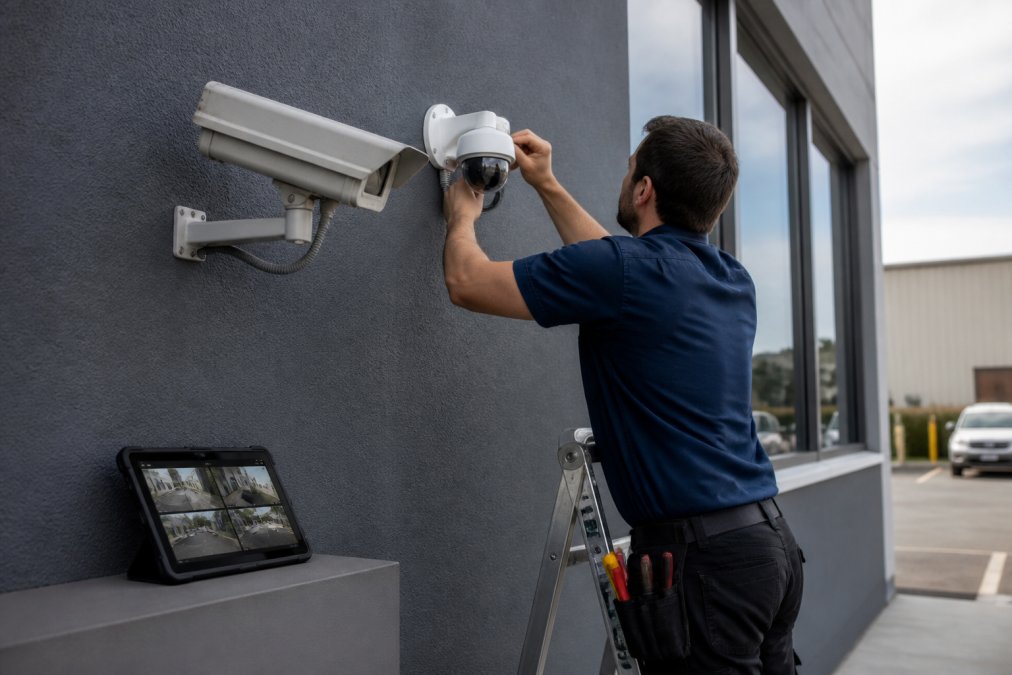
ONVIF is a vendor-neutral standard built on SOAP/XML over HTTP. In practice it does three jobs: device discovery (a recorder finds cameras on the network automatically), media negotiation (the two devices agree on a stream format and resolution), and PTZ control. That is why an ONVIF-compliant IP camera from one brand will usually appear on a recorder from another.
API: software-to-software links for access control
An API (application programming interface) is how one piece of software asks another to do something, unlock a door, pull an access log, add a credential. Modern access control platforms expose REST APIs, usually returning JSON over HTTPS. This is the layer that lets a new access platform control an older controller, or lets your building management system read who entered and when.
MQTT: lightweight messaging for sensors and IoT
MQTT is a publish/subscribe protocol designed for low-bandwidth, high-device-count environments. Devices publish messages to a broker on a topic (for example, a door sensor publishing open to a topic), and any system subscribed to that topic receives it. It is small, efficient and tolerant of flaky connections, which makes it well suited to battery sensors, environmental monitors and alarm contacts.
What to do when a device supports none of them
If a device supports no modern protocol, it can still be integrated, but only through a hardware bridge. Common examples are analogue-to-IP encoders that convert a coax camera feed into an ONVIF stream, and serial-to-IP gateways that translate an old RS-485 or RS-232 control bus into network traffic. These work, but each one adds a point of failure, a power draw and a cost line.
When you audit a device, record three things: the protocol it speaks, the profile or version, and whether the manufacturer still publishes firmware. A device with a protocol but no updates is a liability with a nice interface.
Cybersecurity Risks When You Connect Old Hardware to a Network
Old hardware is the weakest link in most integrated setups. It was built before modern threats existed.
Main risks:
- Unpatched firmware with known exploits
- Default passwords never changed
- No encryption on older devices
- Devices that can’t receive updates at all
Retrofit or Replace? A Cost-Benefit Framework for Integrating Security
Retrofitting keeps what works and adds around it. Replacing starts fresh. The right call depends on age, compatibility and risk, not on price alone. Most articles frame this as a hardware question. It is really a total-cost-of-ownership question, and the answer changes once you count labour, downtime and the ongoing cost of patching around old gear.
Use this framework:
| Factor | Favours Retrofit | Favours Replace |
|---|---|---|
| Equipment age | Under 7 years | Over 10 years |
| Protocol support | ONVIF, API, MQTT | None, proprietary only |
| Firmware updates | Still available | Discontinued |
| Cabling | Reusable | Failing or absent |
| Risk level | Low | High-value or high-traffic site |
| Downtime tolerance | Low, retrofit is incremental | High, a planned outage is acceptable |
| Spare parts | Still stocked | Obsolete or second-hand only |
The cost lines people forget
A retrofit quote and a replacement quote are not comparable if you only look at hardware. The real comparison has four lines:
- Hardware, new devices, adapters, encoders, gateways.
- Labour, installation, re-cabling, commissioning, and the electrician time to run new cable through finished walls.
- Downtime, lost trading hours, or the cost of temporary coverage while the system is down.
- Ongoing, firmware management, licensing, and the staff time spent juggling multiple apps or workarounds.
When retrofitting makes sense
Retrofit when your cameras and cabling still work and support a modern protocol. You save on labour and disruption.
It suits:
- Homes with recent IP cameras
- Offices with wired sensors already in place
- Sites where downtime is a problem
- Heritage or strata buildings where running new cable is difficult or restricted
When replacement is the better call
Replace when the gear is end-of-life, unpatched, or can’t join any modern system. Keeping it usually costs more over time.
Signs it’s time:
- No firmware updates for two years or more
- Proprietary app only, no API
- Repeated failures or false alarms
- No encryption on any device
- Spare parts only available second-hand
A phased middle path
You do not have to choose one or the other across the whole site. The most common pattern is a phased migration: replace the highest-risk layer first (usually entry points and the recorder), bridge the rest, and retire legacy devices as budget allows. This spreads cost across financial periods, keeps the site operational, and avoids the trap of buying a full replacement before you have audited what actually needs replacing.
Do not let a retrofit become permanent. Every bridged device is a device you are still maintaining. Set a review date, twelve months is a reasonable default, and decide then whether the bridge has earned its place or should be retired.
Your Step-by-Step Migration Roadmap
A migration roadmap turns a messy upgrade into a clear sequence. Follow it in order and you avoid buying twice.
- Audit every device, cable and entry point
- Assess compatibility against ONVIF, API and MQTT
- Prioritise by risk: entry points first, then cameras, then alarms
- Isolate legacy devices on a separate network segment
- Bridge what can’t be replaced with adapters or gateways
- Test each layer before adding the next
- Document logins, firmware versions and device locations
The best integration isn’t the newest system. It’s the one where every device, old or new, reports to a single point you actually check.
Frequently Asked Questions
How do I know if my existing security hardware is compatible with smart upgrades?
Check three things: whether your cameras or alarms support ONVIF or another open protocol, whether your control panel has an API or network port, and whether the hardware still receives firmware updates. If your equipment lacks these, integration may still be possible through a gateway device, but a licensed security technician should assess it before you commit to new purchases.
Can I keep my traditional locks while adding modern CCTV and alarm systems?
Yes. Physical locks and electronic security operate on separate layers, so you can keep existing deadbolts and add cameras, alarms, or smart access control alongside them. Many property owners run traditional keyed locks on external doors while using electronic locking systems for internal access or rental management, then link everything through a single monitoring platform.
What are the common risks when connecting old security systems to a network?
Legacy devices often run outdated firmware with known vulnerabilities, lack encryption, and use default passwords. Once networked, they become entry points for attackers. The 2026 Data Security Index, based on a survey of 1,700 security professionals, highlights how difficult it is to maintain data protection during transitions to integrated environments. Isolate older devices on a separate network segment and update firmware where possible.
What is the best approach to upgrading security without a complete system replacement?
Start with a vulnerability assessment of what you already have. Identify which components still work reliably and which are failing. Then use interoperability protocols like ONVIF or API integration to connect legacy hardware to a modern management platform. Replace only the weakest links first, such as cameras that miss useful footage or locks that cannot be keyed alike, and phase the rest over time.
Most properties don’t need a full security rebuild. They need someone who can look at the mix of old and new and make it work as one. That’s where Morayfield Locksmiths comes in. We’ve served the region since 1994, with 24-hour availability, honest upfront pricing, and hands-on expertise in electronic locking, CCTV and smart access systems. Get started with Morayfield Locksmiths and turn your patchwork of devices into one security setup you can trust.